What ChatGPT is, in one minute
ChatGPT is an AI assistant made by OpenAI. You write to it the way you'd write to a helpful coworker, and it writes back: a reply to a customer, an explanation of a confusing letter, ten ideas for a slow week, a summary of a long document.
It doesn't look facts up the way a search engine does. It writes the most likely answer based on what it learned, and it can search the web when you ask it to. That's why it's very good at writing and explaining, and why you still check any fact that matters.
You can start free at chatgpt.com. This guide uses the website on a computer.
When to pick ChatGPT, and when another tool fits better
ChatGPT, Gemini and Claude can all write, explain and summarize. The real differences are in the extras, and in which one fits the way you already work.
Pick ChatGPT when
- You want one place for most everyday jobs: writing, questions, reading a photo or a file, making a picture, and talking out loud.
- You want to make an image from a description. "Create image" is right in the chat's + menu.
- You want fresh facts with a link to where they came from. Turn on "Web search" in the same menu.
Look at another tool when
Gemini: Your work lives in Gmail, Google Docs and Drive. Gemini can add a file straight from your Drive, and send an answer to Google Docs or a Gmail draft.
Read the guideClaude: You want a finished document or a small working tool, not just a chat reply. Claude builds them beside the chat, on its free plan.
Read the guide
Your first useful answer, in five steps
Most weak answers come from a weak request, not a weak tool. Here's the whole loop, from opening ChatGPT to an answer you can use.
Step 1: Open chatgpt.com and sign in
Go to chatgpt.com. You can type a question without an account, but a free account saves your chats and lets you upload files and create images. Click "Sign up for free", or "Log in" if you already have an account.

Step 2: Ask for one job, with the details that matter
Click the box that says "Ask ChatGPT" and write the way you'd brief a coworker: what you need, who it's for, and how long it should be. One clear job per message works best.
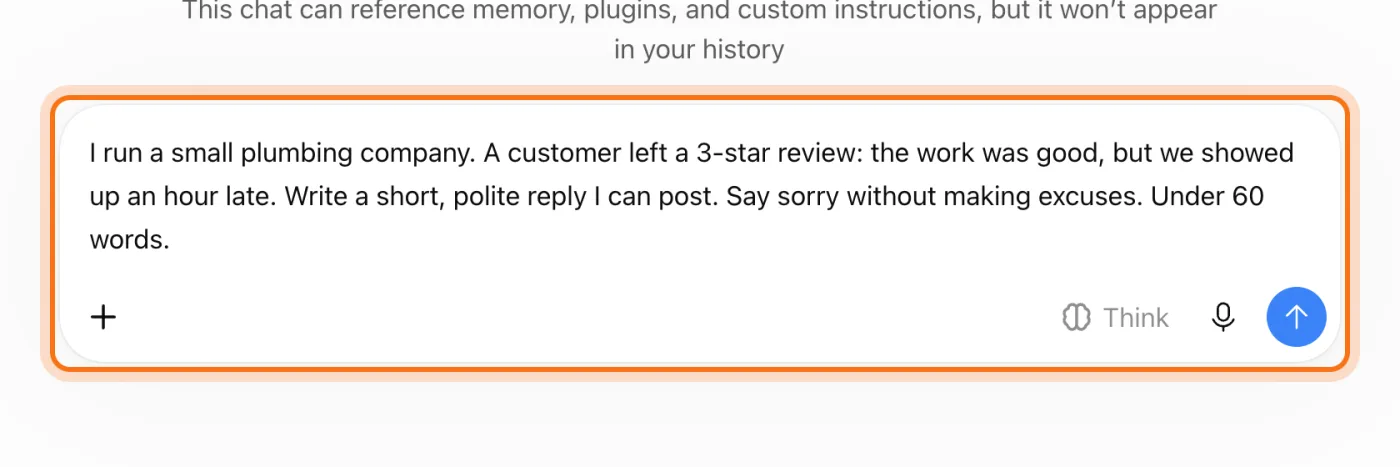
The example in the picture: a plumbing company answering a 3-star review that said the work was good but the crew was an hour late.
Try this prompt
I [what you do]. [What happened, or what you need]. Write [what kind of text] for [who will read it]. Keep it [how long, what tone].Step 3: Send it, and read the answer like a first draft
Press Enter or click the arrow. The answer appears under your message. Read it the way you'd read a draft from a new employee: usually close, sometimes off, never sent without a look.
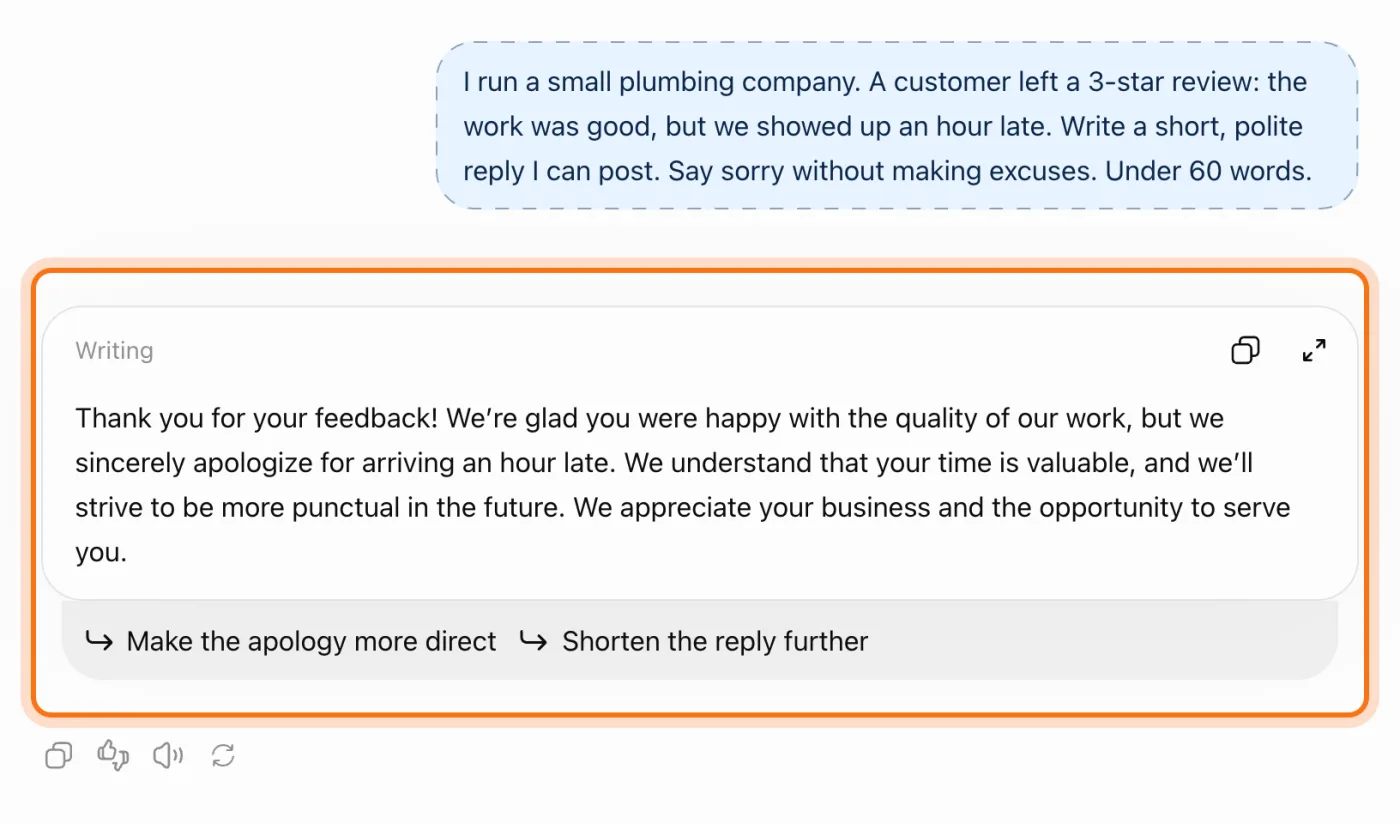
Step 4: Fix it in the same chat
Not quite right? Don't start over. Reply with what to change: "shorter", "warmer", "don't offer a discount". ChatGPT remembers everything earlier in the chat. Under some answers it also suggests a change you can click.
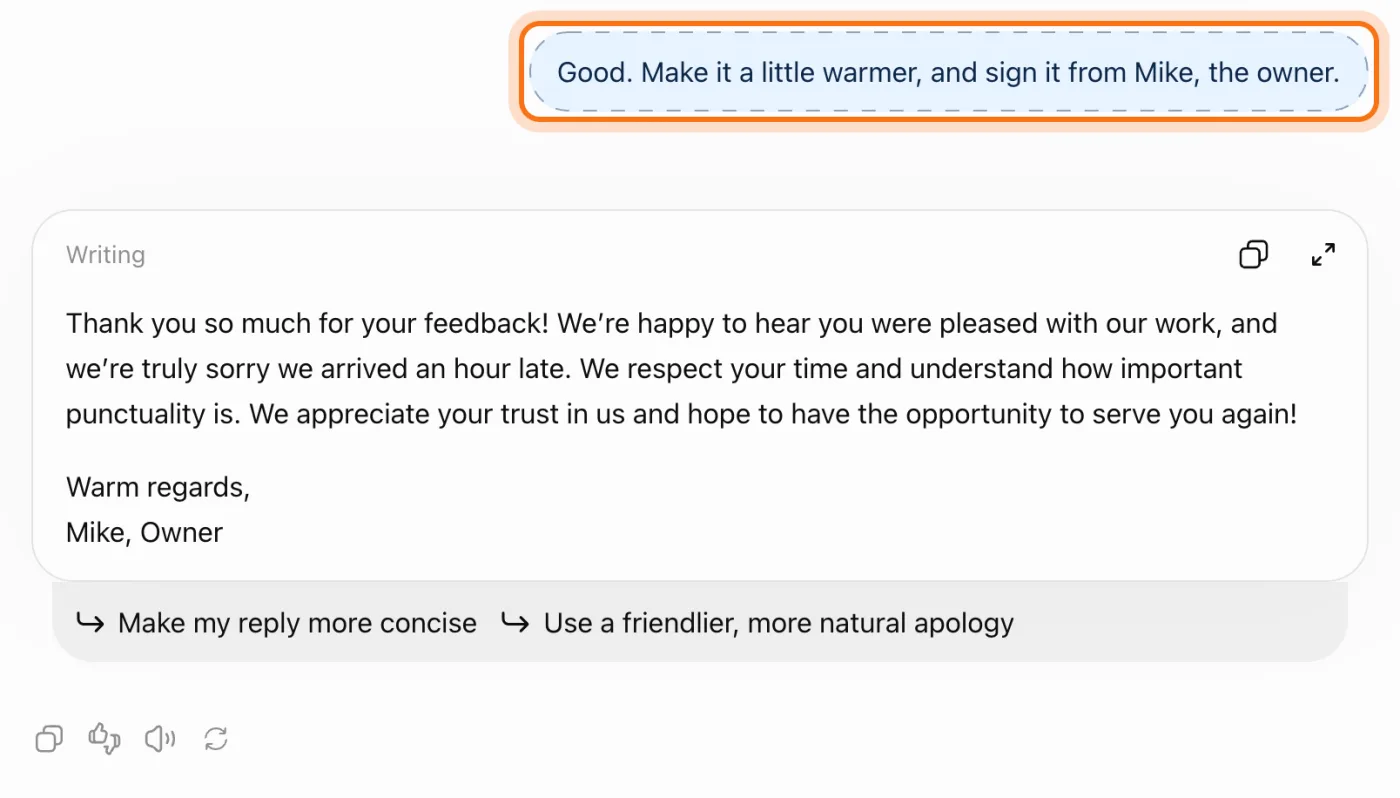
Step 5: Copy it and use it
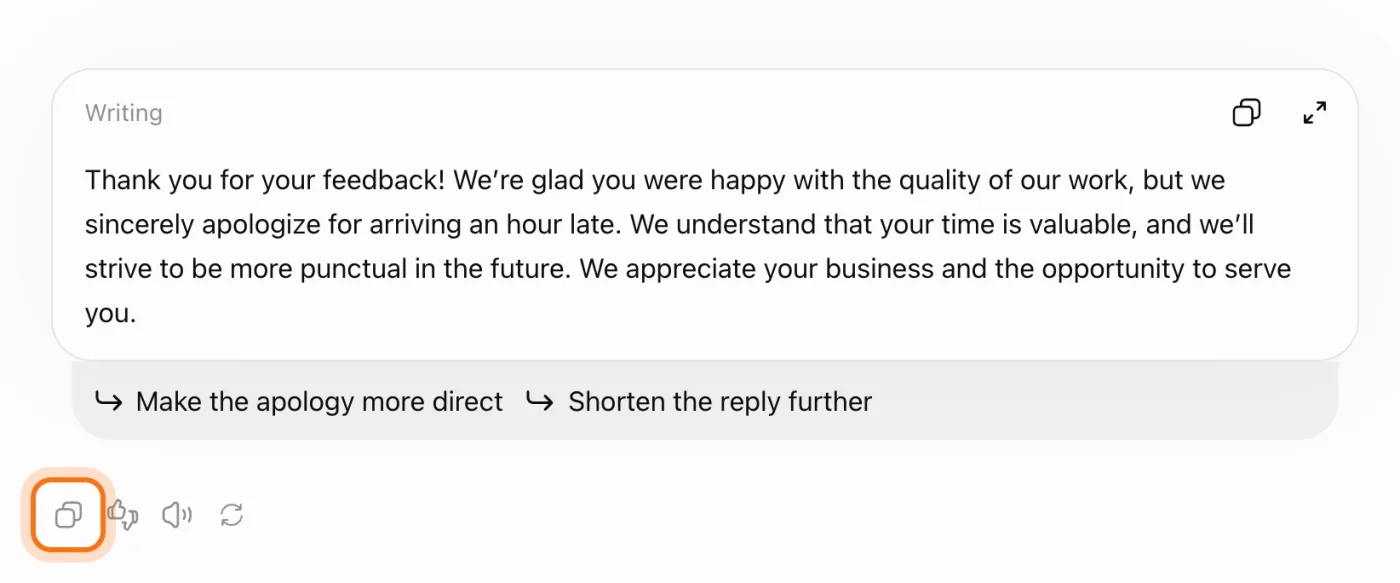
When it's right, click the copy icon under the answer and paste it where you need it. Read it once more before it goes to a customer: names, times and promises.
Members
The rest of this guide is for members
Create a free account and every room in the academy opens for 30 days. No credit card needed.
In the rest of this guide
8 real jobs ChatGPT does well, with prompts to copy
- Answer a tough customer message
- Turn messy notes into a clear plan
- Understand a long document or letter
- Get help from a photo
- Get unstuck with ideas
- Learn something step by step
- Make a simple image
- Get fresh facts, with the source
Buttons and settings worth knowing
- Temporary chat, for things you don't want saved
- Think, for harder questions
- Talk instead of typing
- A new chat for each new topic
- Choose whether your chats help train the models
When ChatGPT gets it wrong, and how to fix it
- It states a fact that's wrong, or makes up a source
- The answer is generic, like it could be for anyone
- It's too long, too formal, or full of emojis
- In a long chat, it forgets what you said at the start
- It says you've reached a limit
- It can't open a link you gave it
- It brings up something from an old chat that you didn't want
- You're not sure what's safe to paste
Where to go next
Two habits make every AI tool better: clear requests, and checking what matters. These guides go deeper.