What this is, in one minute
Gemini is Google's AI, and it can now make music. You describe a song in plain words: who it's for, their name, what they love, the occasion. About two to five minutes later, Gemini gives you a full song with lyrics, singing and music, ready to play in the chat. You can download it and send it like any other video or song.
It's free. We used a free Google account on 10/21, on a computer, and everything in this guide worked. Our songs ran about 3 minutes when we didn't ask for a short one. Google says you need to be 18 or older, there's a limit on how many songs you can make, and paid plans get a higher limit.
Every song Gemini makes carries an invisible watermark (Google calls it SynthID) that marks it as made by AI. You won't hear it, but it's there.
Which way to use
Create music in Gemini makes a brand-new song: new words, new melody, new singer. Other guides cover the jobs around it.
Use Create music when
- You want a gift that's about one person: their name, your story, the things they love.
- You need a short piece of music of your own, like a jingle for a small business or music for a family video.
- You don't play an instrument and don't want to hire anyone. A sentence or two is enough.
Use something else when
Make a playlist with AI: You want real songs by real artists for a party or a drive, not a new song: Google's AI Mode builds the playlist in YouTube Music.
Read the guideMake a video with AI: You want moving pictures, like a short clip for a birthday, not music.
Read the guide
Your first song, step by step
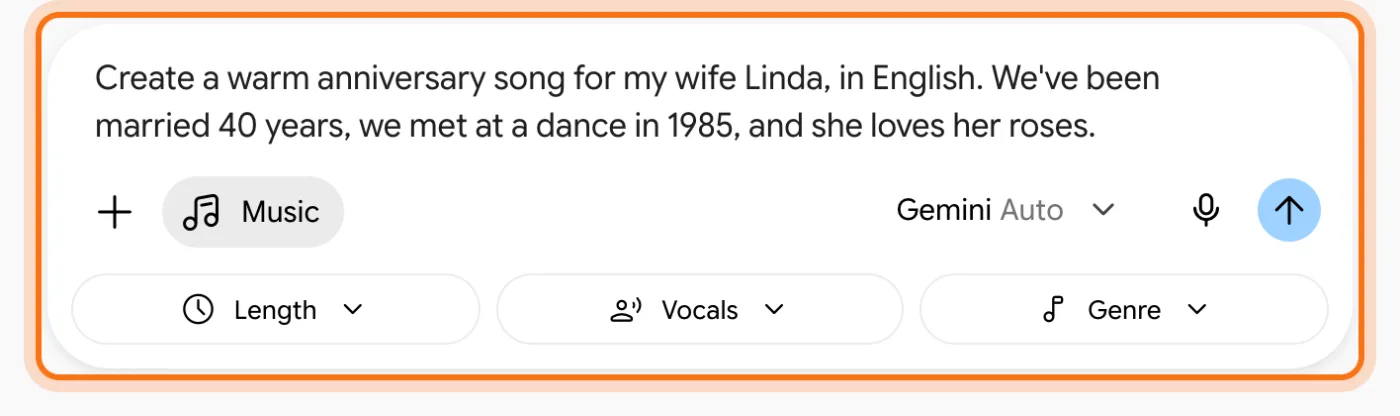
Our example: a husband who wants a song for his wife Linda for their 40th anniversary. They met at a dance in 1985, and she loves her roses.
Step 1: Open Gemini and choose Create music
Go to gemini.google.com and sign in with your personal Google account. In the message box, click the plus sign ("Upload & tools"). A menu opens. Click "Create music".
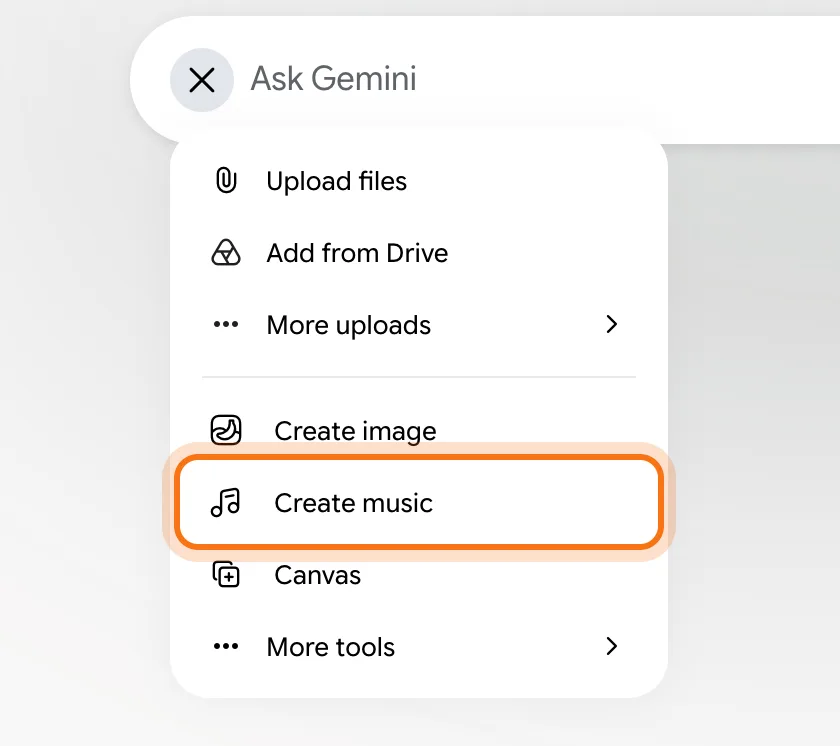
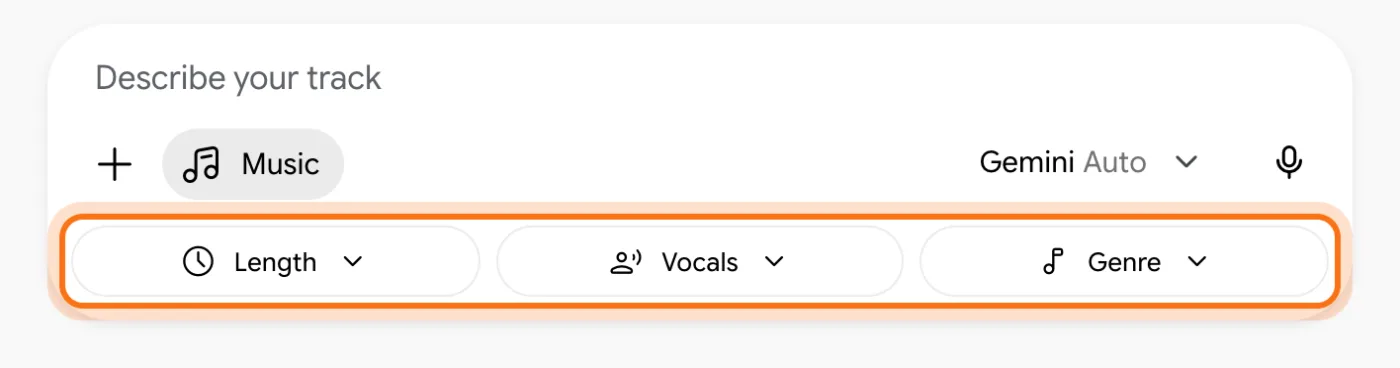
Step 2: The box is now in music mode
The box now says "Describe your track", with a "Music" chip next to the plus sign. Under it are three menus: "Length", "Vocals" and "Genre". You don't have to touch them. When they're left alone, Gemini decides from what you write. Above the box is a gallery of ideas, for when you don't know where to start.
Step 3: Describe the song: who, what they love, the occasion, the language
Write one or two sentences. The more personal details, the more it sounds like their song: the person's name, the occasion, one memory you share, something they love. Add the mood ("warm", "happy", "funny") and always add the language, like "in English". Then press Enter.
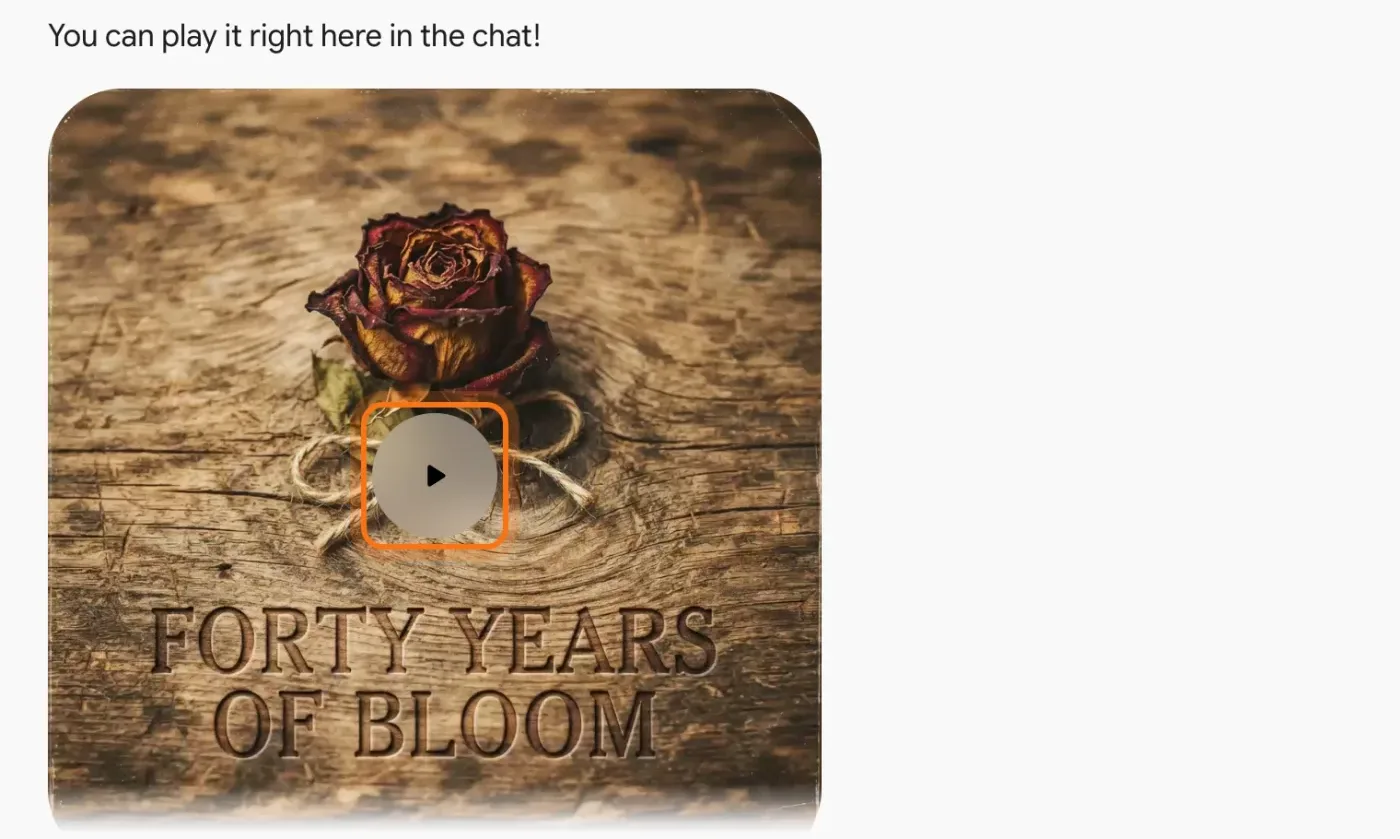
Step 4: Wait a few minutes, then press play
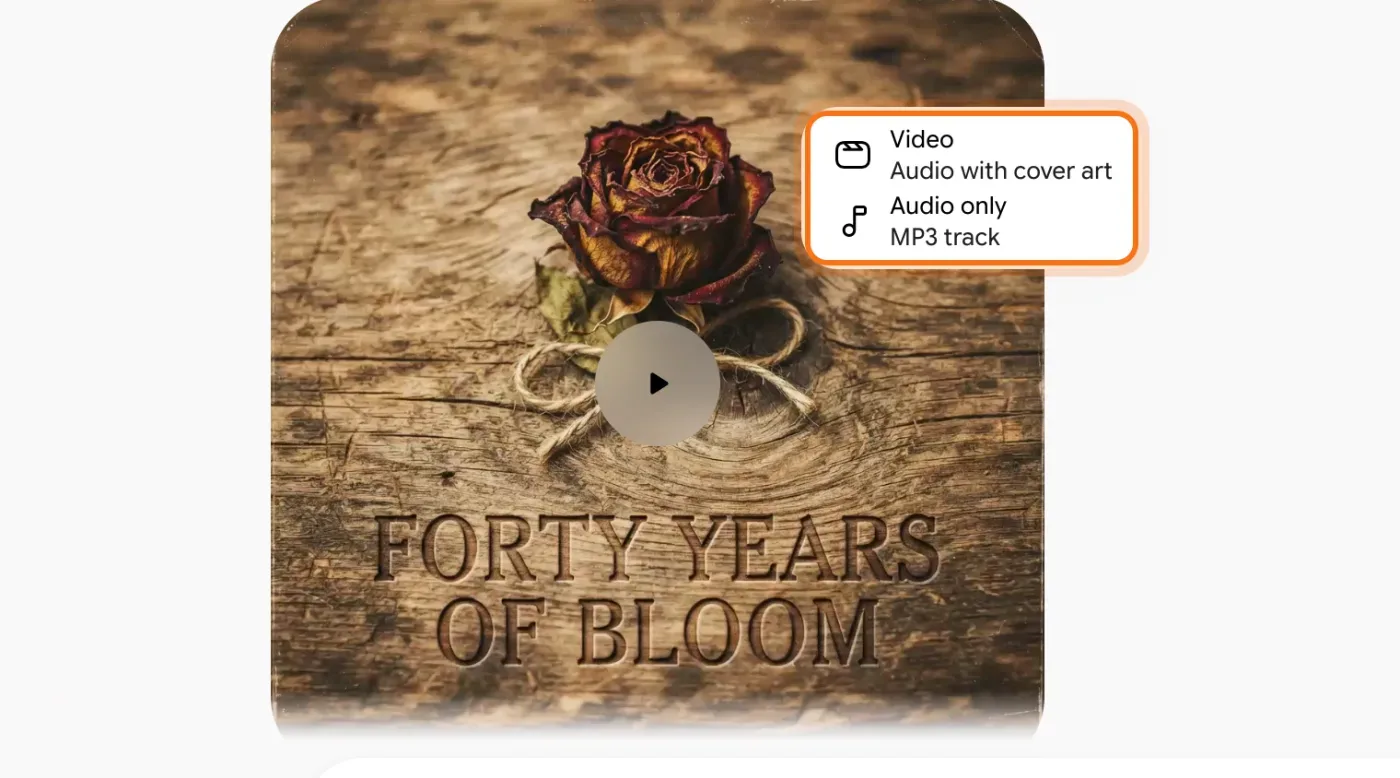
Gemini shows "Generating your track" while it works. Ours took between 1.5 and 5 minutes, so leave the tab open. Then Gemini writes a line about the song, and the song appears under it as a player. Click the round play button to listen. Ours was called "Forty Years of Bloom", 2 minutes 41 seconds, with a rose on its cover.
Step 5: Download it as a video or an MP3
Move the mouse over the player. Three round buttons show up along its top edge. Click the middle one, the arrow pointing down ("Download track"). Choose "Video" (the song with its picture, an MP4 file) to send it on WhatsApp or post it, or "Audio only" for an MP3 file you can play anywhere.
Members
The rest of this guide is for members
Create a free account and every room in the academy opens for 30 days. No credit card needed.
In the rest of this guide
8 songs to make, with prompts to copy
- An anniversary
- A birthday song with their name
- A lullaby for a grandchild
- A thank-you
- A song for your pet
- A jingle for a small business
- Music for a family video
- A farewell or retirement
More ways to use it
- Pick a style from the Genre menu
- Music with no singing
- See the words while it plays
- Ask for a new version
- Start from an idea in the gallery
- Send a link instead of a file
- On your phone
When something goes wrong, and how to fix it
- There's no "Create music" in the menu
- The song came out in the wrong language
- There's no picture, just a sparkle on black
- The song is shorter than you wanted
- It's been working for minutes
- Gemini says you've reached your limit
- You can't find the download button
Where to go next
Gemini made the song. These guides help with what's around it.