What this is, in one minute
Claude is the AI made by Anthropic. Its Docs feature writes a letter, a notice or any other document as a real page, not as a chat message. You say what you need, and the document opens next to the chat. You can type into it like in Word, ask Claude to change one sentence, and download it as a Word file.
It's free. Anthropic's help page says Docs is on every Claude plan, including Free, and we used a free account on 10/21, on a computer. Everything in this guide worked.
No more copying an answer out of a chat and fixing it in Word. The document is the answer.
Which way to use
Claude Docs is for a document you'll print, send or keep. Other guides cover the jobs around it.
Use Claude Docs when
- You need a letter, a notice, a list of rules or a short report, and you want to send it as a file.
- You want to fix a few words yourself before it goes out.
- You'll print it, attach it to an email, or keep working on it in Word or Google Docs.
Use something else when
Write emails with AI: What you need is an email, not a document to attach.
Read the guideMake slides with Claude: You need slides for a talk, not a page. It starts from the same place.
Read the guide
Your first document, step by step
Our example: the streetlight in front of the house has been out for three weeks, and we want a letter to the city about it.
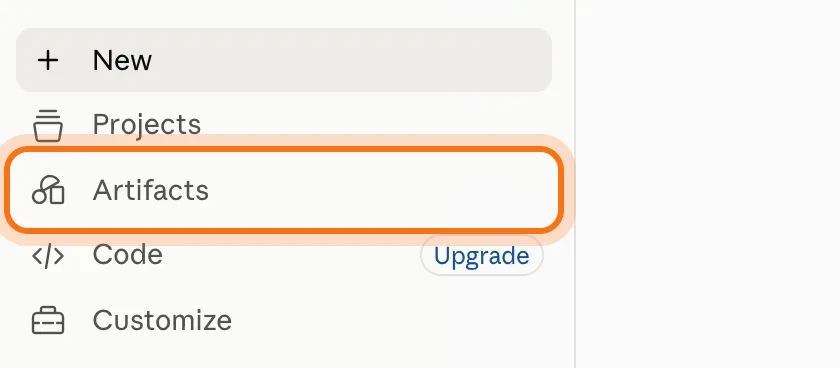
Step 1: Open Claude and click Artifacts
Go to claude.ai and sign in. A free account is enough. In the menu on the left, click "Artifacts".
Step 2: Click Docs
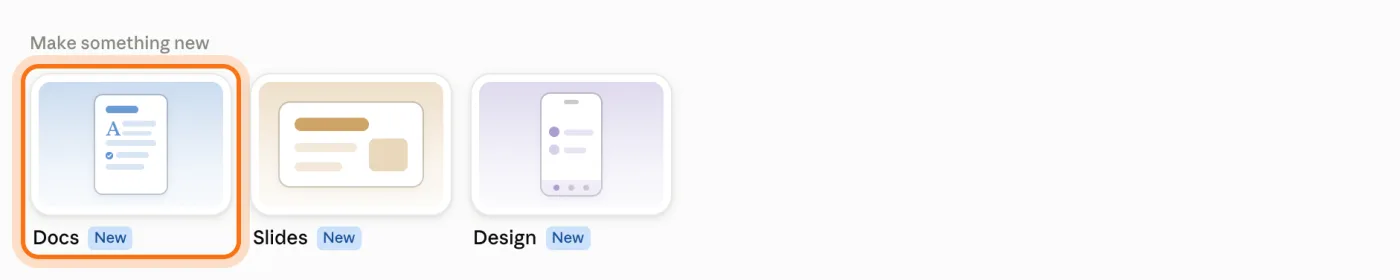
Under "Make something new" there are three cards: Docs, Slides and Design. Click "Docs". A new chat opens. The box says "What should this document be about?" and has a "Claude Docs" label under it. If you don't want this chat in your history, click the ghost at the top right ("Use incognito") before you type. We did. The document itself is still saved.
Step 3: Say what the document is for
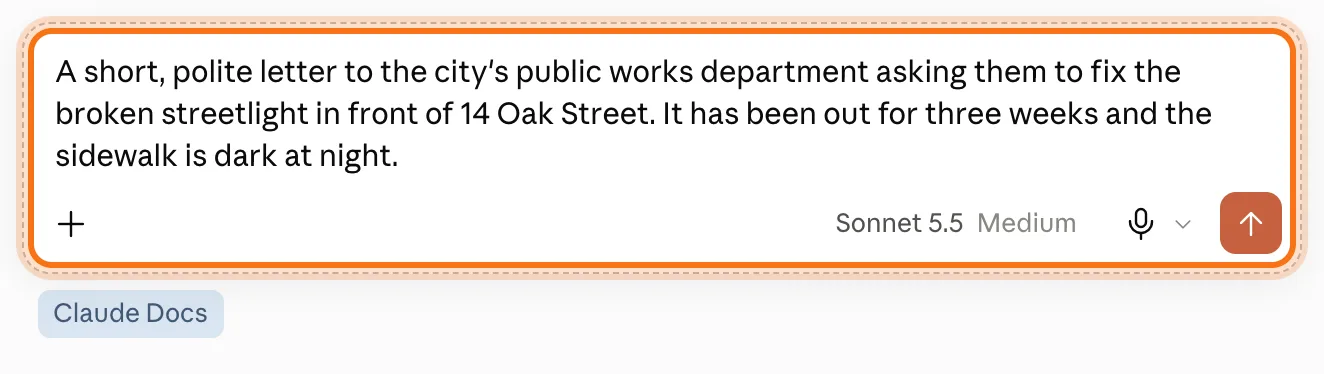
Write who it's for, what it should ask for, and the facts it needs. One or two sentences are enough. Ours: "A short, polite letter to the city's public works department asking them to fix the broken streetlight in front of 14 Oak Street. It has been out for three weeks and the sidewalk is dark at night." Then press Enter.
Step 4: The document opens next to the chat
Claude adds one line of its own under your request ("Make this a document using the Claude Docs tools..."). That's normal. A card with the document's name shows up in the chat ("Claude Docs · Only you"), and the letter opens on the right as a page, with a title. Ours was ready in less than 4 minutes. Claude also said what to do next: fill in the parts in brackets.
![The document's card in the chat, marked: Streetlight Repair Request, Claude Docs, Only you, with an Open button. Next to it the open letter, with [Your Name], [Your Address] and the date at the top.](/guides/v2/how-to-write-documents-with-claude/04-ready.webp)
Step 5: Fill in the blanks yourself
Click into the letter and type, like in Word. Select "[Your Name]" and type your name over it. Do the same for your address, the city, and the name at the bottom. Your changes are saved by themselves.
![The top of the letter: the title, then Robert Miller (marked) where [Your Name] was, and [Your Address] and [Phone / Email] under it.](/guides/v2/how-to-write-documents-with-claude/05-fill.webp)
Step 6: Download it as a Word file
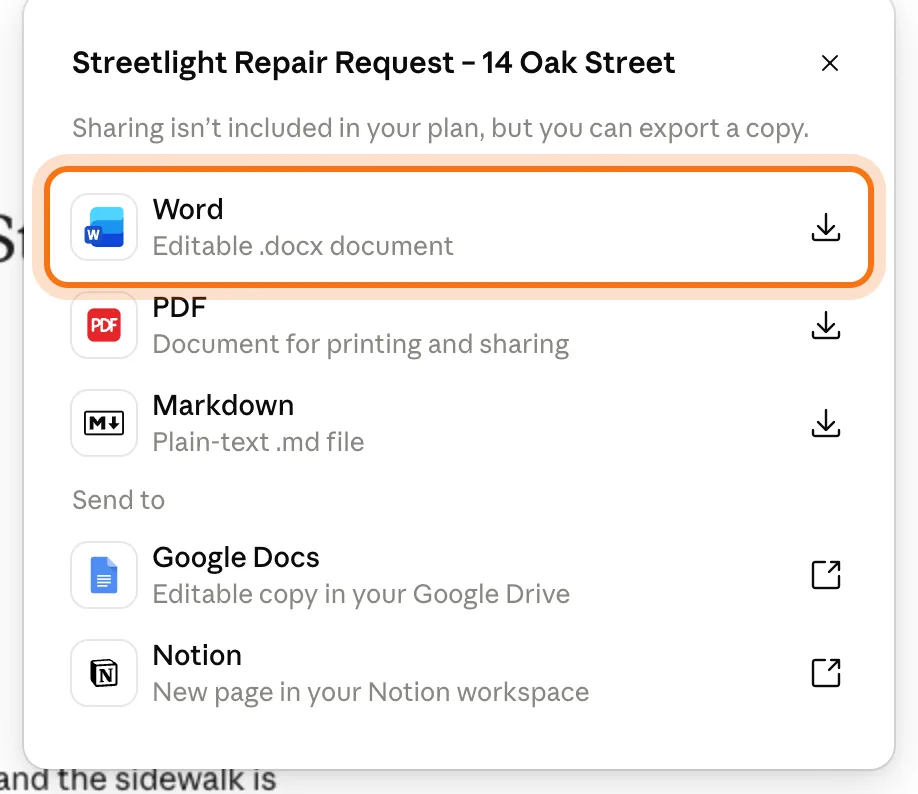
Happy with it? Click "Export" at the top right of the document's page, then "Word". The .docx file goes to your Downloads folder, with every change you typed inside it. "PDF" is for printing or email, and "Google Docs" makes a copy in your Google Drive. Next to the chat, click the document's name at the top, then "Export".
Members
The rest of this guide is for members
Create a free account and every room in the academy opens for 30 days. No credit card needed.
In the rest of this guide
8 documents to make, with prompts to copy
- A letter about a problem
- A complaint about a bill or an order
- A thank-you letter
- A notice for a board or a door
- House rules or instructions
- A letter of recommendation
- A plan for an event
- A family story to keep
More ways to use it
- Ask Claude to change the whole thing
- Change one sentence: select it
- Say what to change, and send
- Claude changes it and tells you what it did
- Find your document again
- Go back to an earlier version
- Make a document from any chat
- On your phone
When something goes wrong, and how to fix it
- There's no Docs card under Artifacts
- Claude answered in the chat, with no document
- The letter is full of [brackets]
- "Let this artifact download a file?"
- Claude changed something you wanted to keep
- There's no way to share a link
- A chat you didn't start showed up in your history
Where to go next
Claude wrote the document. These guides help with what's around it.