What AI does with reviews, in one minute
You paste a review and a few rules, and the AI writes a reply draft: it thanks the customer by name, mentions what they said, and sounds like you. You read it, fix what's wrong, and post it yourself. The AI never posts anything.
Google says helpful and positive replies to reviews can show that you're responsive to your customers, and the person who wrote the review is told when you reply. A reply that takes two minutes instead of fifteen makes it easy to answer every review, not just the easy ones.
Any AI chat can do this on a free account. The pictures use ChatGPT.
Which way to use
All of them write good replies. The difference is how often you answer reviews.
Use a normal AI chat when
- You get a few reviews a week and answer them as they come.
- You want to try it first, with no setup.
- You want to paste several reviews at once and get all the replies together.
Save your rules once when
Your own review assistant: You reply to reviews every week. Save your rules once as a Gemini skill or a ChatGPT project, then paste only the review.
Read the guideChatGPT that knows your business: You want every reply to know your hours, your services and your tone without typing them each time.
Read the guide
Your first review replies, in six steps
A real example: Dan runs a small bike shop and got two new Google reviews, one great and one angry. The pictures use ChatGPT on a free account, in a temporary chat.
Step 1: Open ChatGPT and start a temporary chat
Go to chatgpt.com and sign in; a free account works. Click the "Temporary chat" icon at the top right. ChatGPT says temporary chats don't appear in your chat history and aren't used to improve its models, so the reviews you paste stay out of your history.
Step 2: Paste the review under your rules
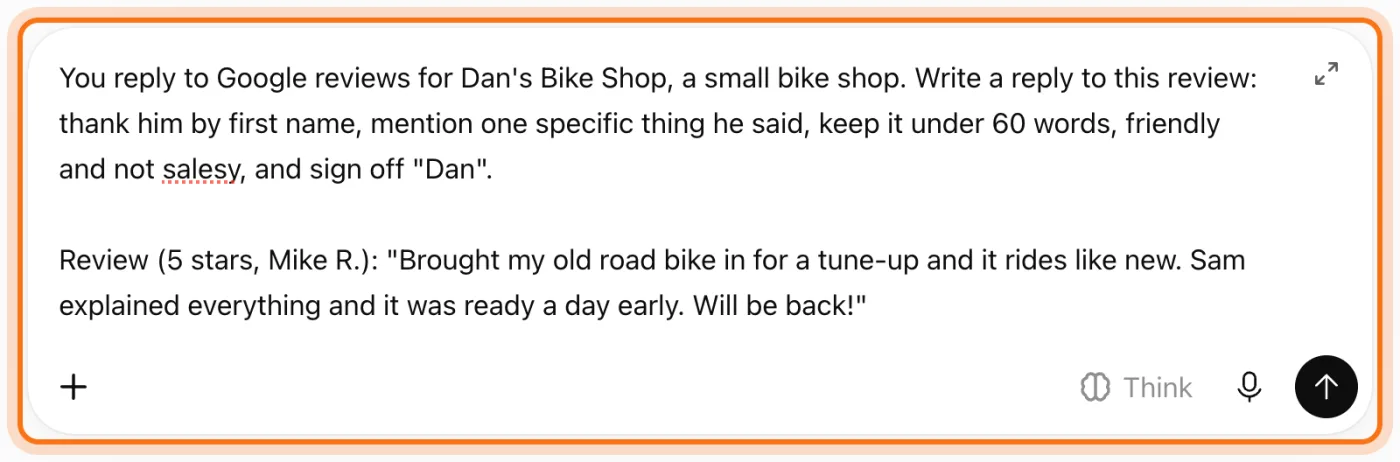
First write who you are and what the reply should do: thank them by name, mention one specific thing they said, a word limit, and how to sign off. Then paste the review with its stars and the reviewer's name. Rules like "not salesy" are what make the reply sound like a person, not a template.
Try this prompt
You reply to Google reviews for [business], a [kind of business]. Write a reply to this review: thank them by first name, mention one specific thing they said, keep it under 60 words, friendly and not salesy, and sign off "[your name]". Review ([stars], [name]): "[paste the review]"Step 3: Read the reply
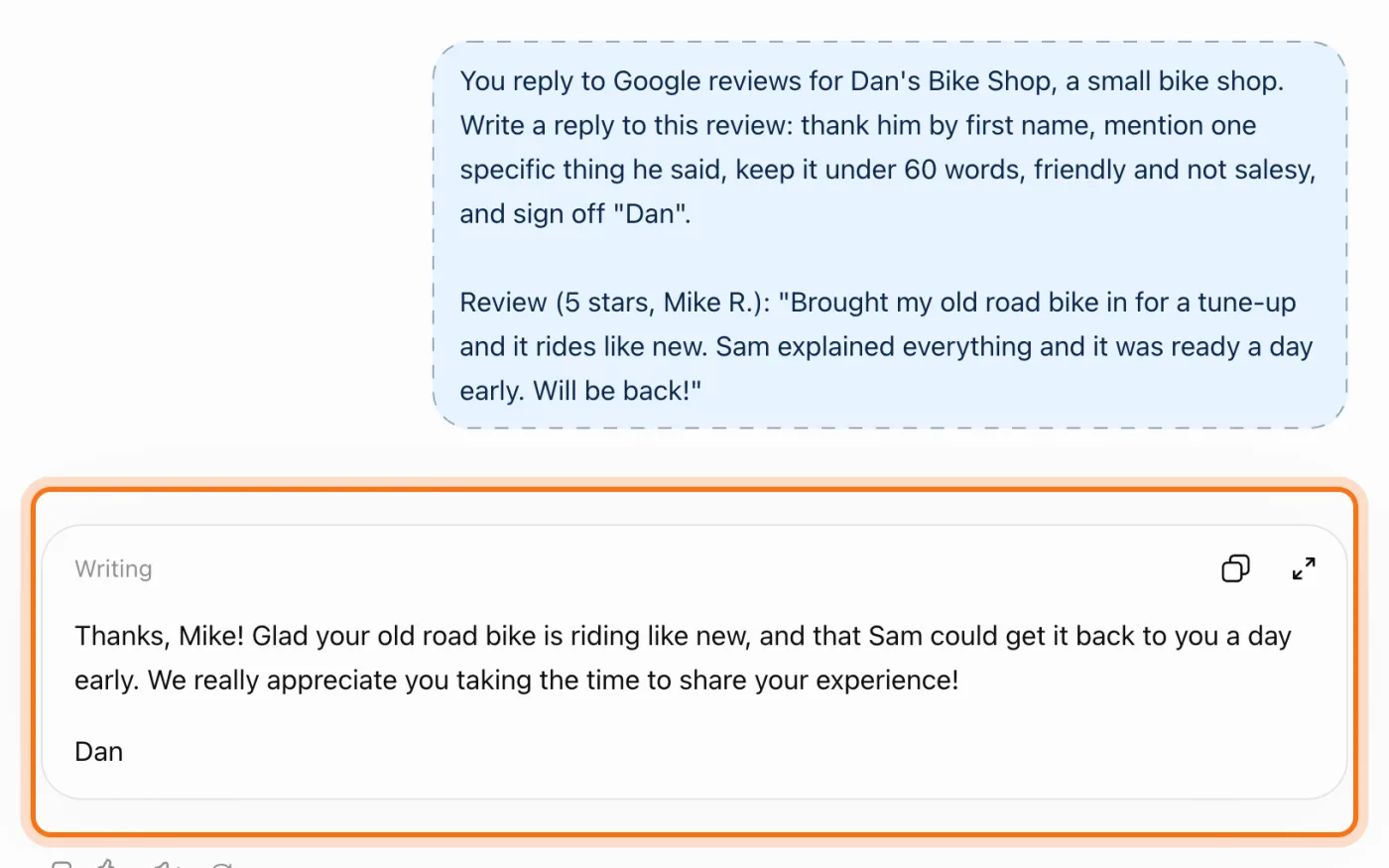
ChatGPT thanked Mike by name and picked two things from his review: the bike rides like new, and Sam had it back a day early. It signed "Dan". Check every fact against the review before you use it: names, days and anything that sounds like a promise.
Step 4: Ask for changes in plain words
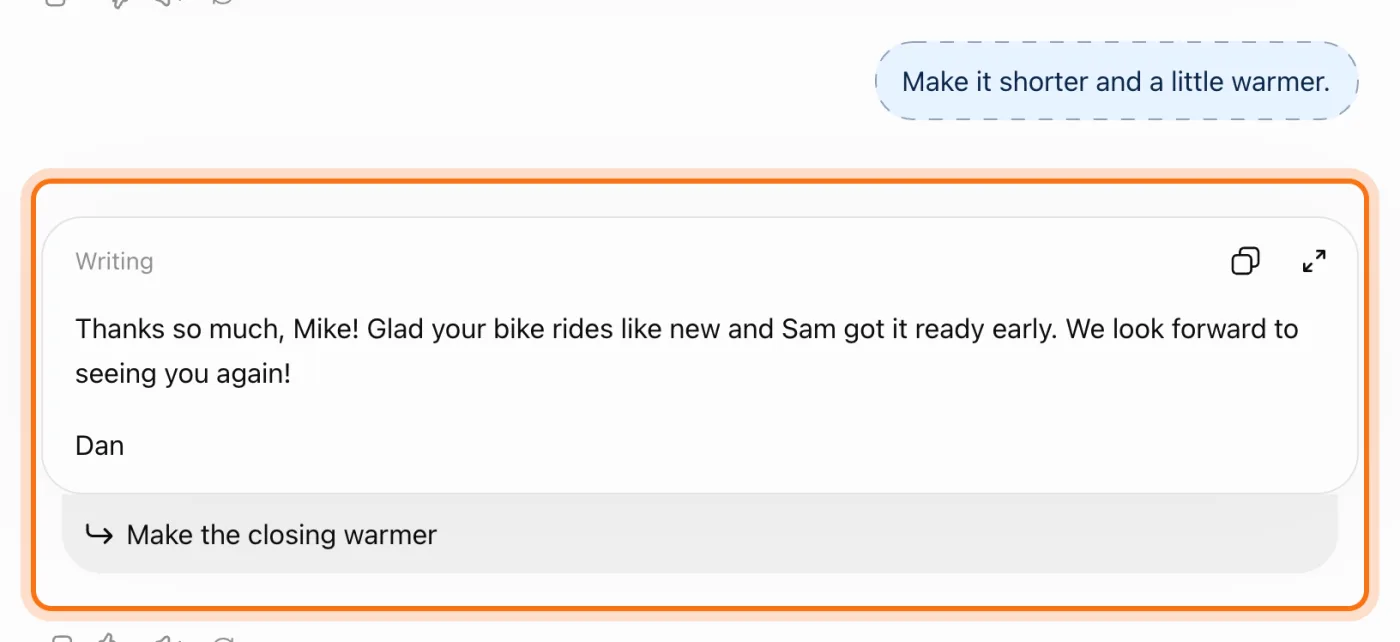
Not quite your voice? Say what to change, in plain words, in the same chat. "Shorter and a little warmer" took the reply down to about 20 words. ChatGPT may also show a suggestion under the reply, like "Make the closing warmer"; click it instead of typing if it's what you want.
Try this prompt
Make it shorter and a little warmer.Step 5: Answer the 1-star review calmly
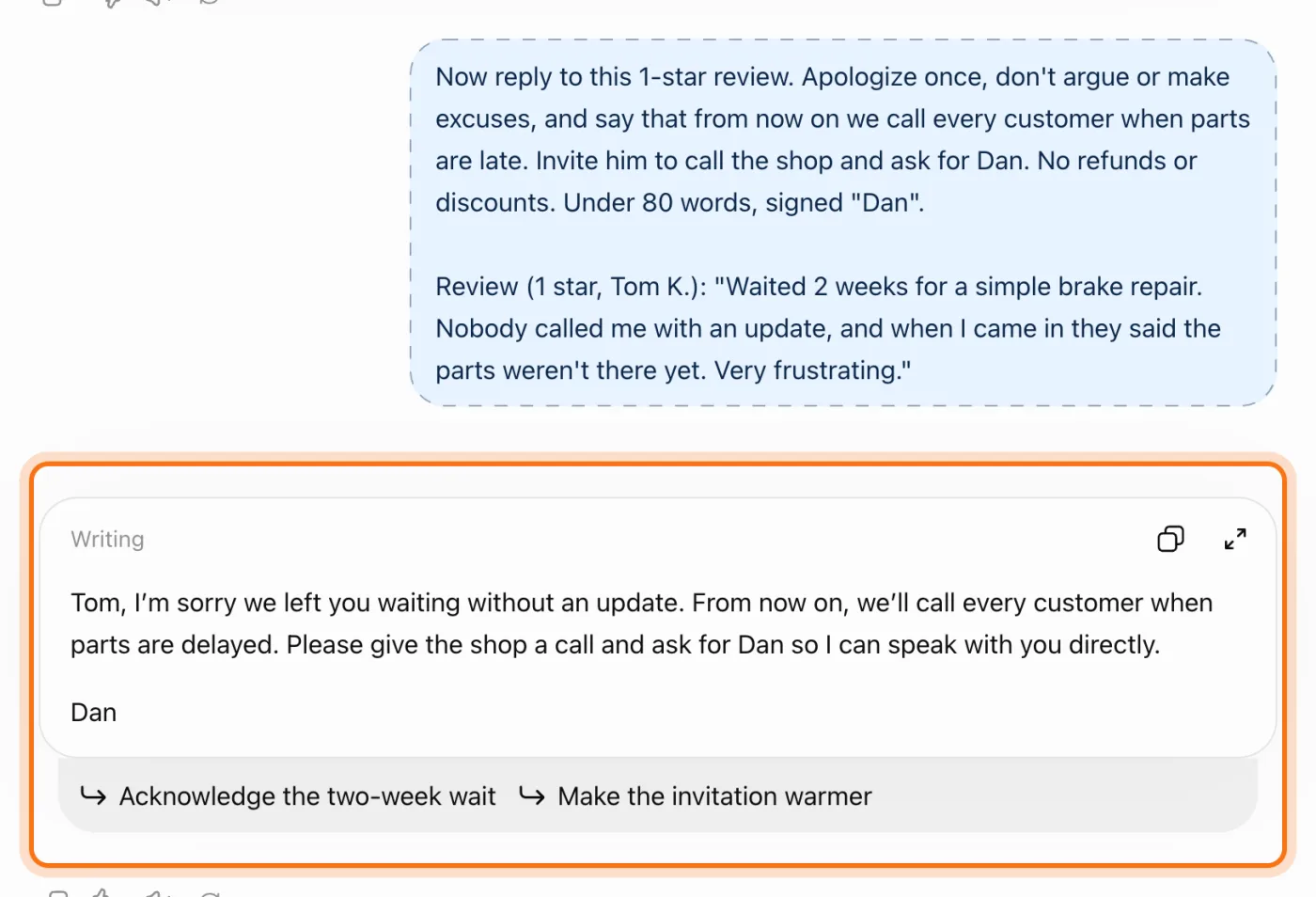
For an angry review, tell the AI what you're changing and what it must not do. Here the reply apologized once, said the shop will call every customer when parts are late, and asked Tom to call Dan. It offered no refund, because the prompt said not to. The next customers read this reply too.
Try this prompt
Now reply to this 1-star review. Apologize once, don't argue or make excuses, and say that [what you're changing]. Invite them to call the shop and ask for [name]. No refunds or discounts. Under 80 words, signed "[your name]". Review ([stars], [name]): "[paste the review]"Step 6: Answer several reviews at once
Got a few more? Paste them together and ask for a table, with each reply next to the reviewer's name. Then copy each reply into Google one at a time, and change a word or two so they don't all start the same way. ChatGPT doesn't post anything; you post each reply yourself.
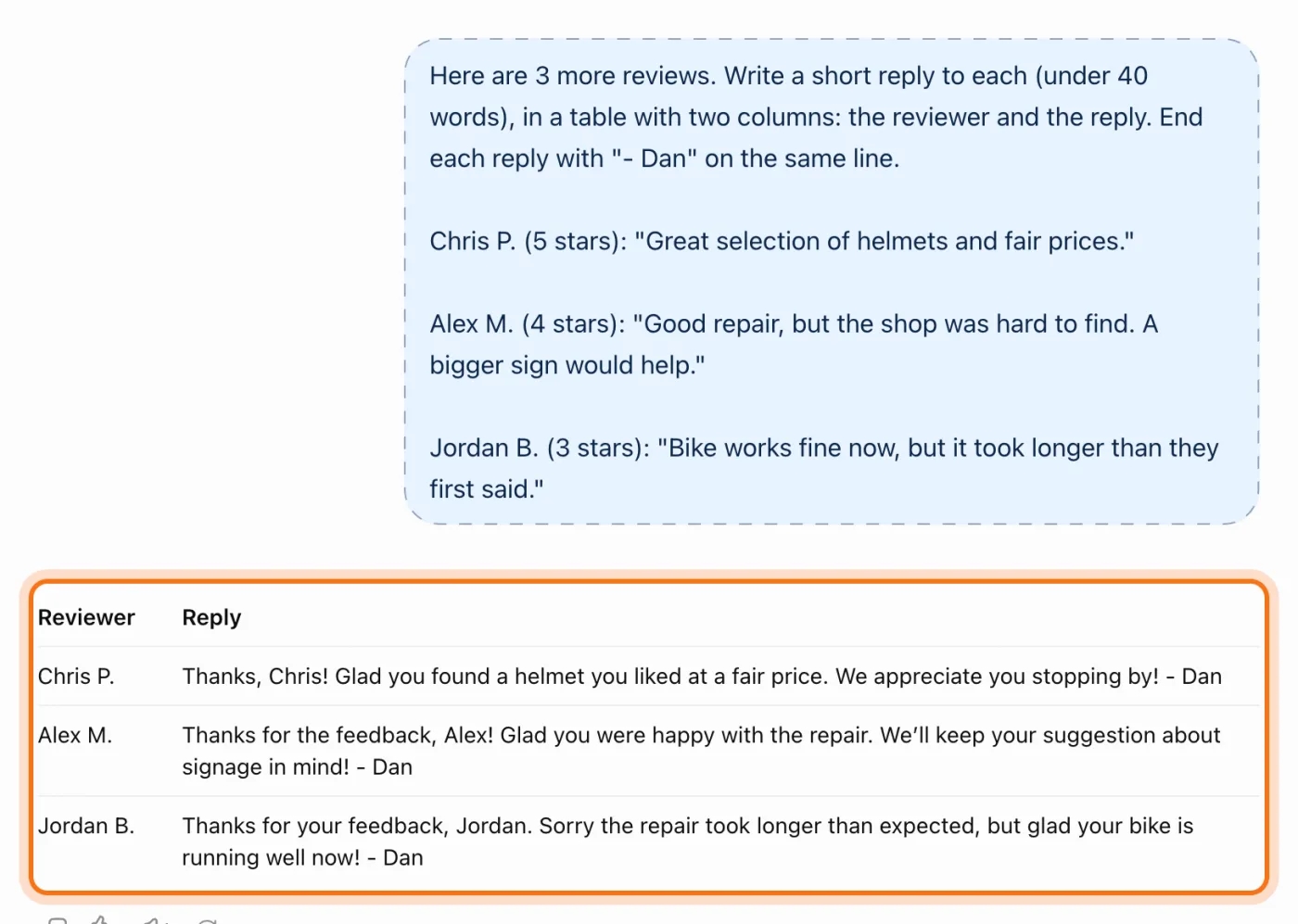
Try this prompt
Here are [number] more reviews. Write a short reply to each (under 40 words), in a table with two columns: the reviewer and the reply. End each reply with "- [your name]" on the same line. [paste the reviews, each with its stars and name]
Members
The rest of this guide is for members
Create a free account and every room in the academy opens for 30 days. No credit card needed.
In the rest of this guide
8 kinds of reviews, with prompts to copy
- A 5-star review
- An angry 1-star review
- A mixed review
- A review that gets the facts wrong
- A review that names someone on your team
- A review in another language
- What your reviews say, all together
- A message asking happy customers for a review
Settings and options worth knowing
- Post the reply on Google
- Edit or delete a reply
- Make it sound like you
- Save your rules once
- A review that breaks Google's rules
When something goes wrong, and how to fix it
- Every reply sounds the same
- The reply is too long or too formal
- It promises a refund, a discount or a fix you didn't approve
- It says things that didn't happen
- The reply shares too much about the customer
- The reply argues with the customer
- The review looks fake
- Someone suggests using AI to write reviews
Where to go next
Replies are one part of talking with customers. These guides help with the rest.