AI as a tutor, in one minute
An AI chat can teach, not just answer. Ask it to explain a topic at your level, one step at a time, and to check that you understood before it moves on. It never gets tired of a question, and it never makes you feel slow.
That works for almost anything a small business owner or a busy person needs to learn: money words, a new software, the rules of a license, a language for your customers, the basics of marketing. And it's free in the tools you may already use.
Two rules keep it honest. Asking it to quiz you is what makes the learning stick. And for facts you'll rely on, like a law or a tax rule, check the official source. The screenshots in this guide use Gemini at gemini.google.com, with one from ChatGPT.
Which tool to learn with
Any AI chat can be a tutor if you ask it to be one. A few tools add buttons that do part of the work for you.
Pick Gemini when
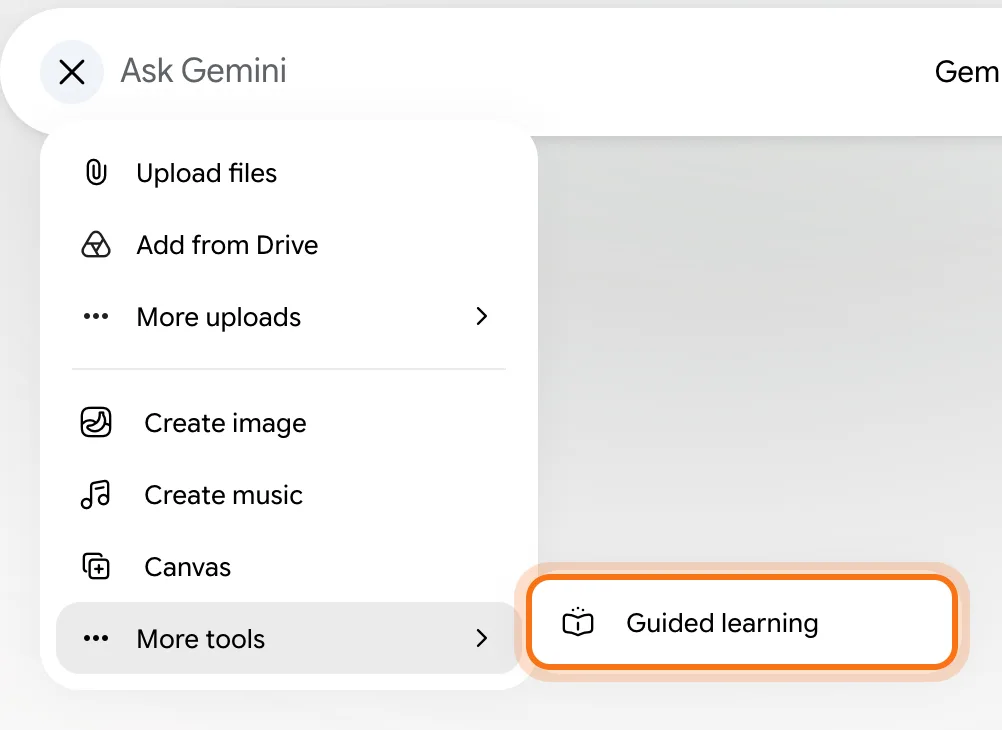
- You want a tutor mode with one click. Click +, then "More tools", then "Guided learning", and Gemini teaches with questions instead of handing you the answer.
- You want to practice. Ask for a quiz or flashcards, and Gemini makes interactive ones you click through, with hints.
- You want it free with the Google account you already have.
Look at another tool when
Gemini Notebook (formerly NotebookLM): You have your own material: course notes, a manual, a stack of readings. It answers only from the sources you add, and Google says its Studio panel makes flashcards and quizzes from them.
Read the guideChatGPT: You already use ChatGPT. Every tutor prompt in this guide works there, and it can talk out loud if you'd rather learn by listening.
Read the guide
Your first lesson, in five steps
Here's a whole lesson in Gemini's Guided learning, from choosing the mode to your first quiz. The example: a small business owner who wants to finally understand compound interest.
Step 1: Turn on Guided learning
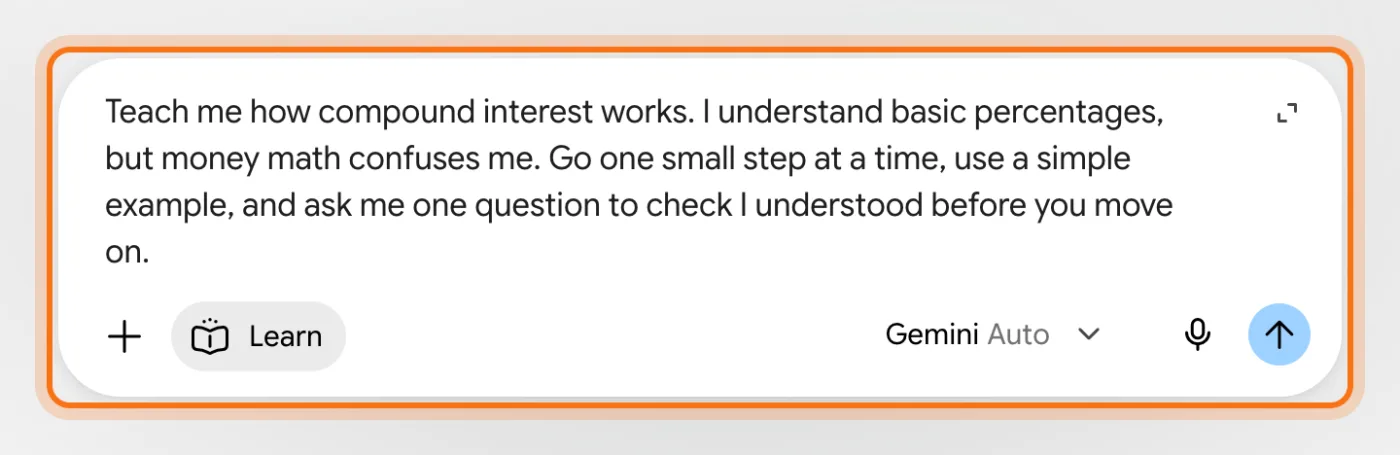
Go to gemini.google.com and sign in with your Google account. Click + next to the box, then "More tools", then "Guided learning". A "Learn" chip appears in the box, so you know the mode is on.
Step 2: Say what you want to learn, and what you already know
Name the topic, tell it where you're starting from, and ask it to go one step at a time. "I understand percentages, but money math confuses me" tells it exactly where to begin.
Try this prompt
Teach me [topic]. I already understand [what you know], but [what confuses you]. Go one small step at a time, use a simple example, and ask me one question to check I understood before you move on.Step 3: Read the first step, and answer its question
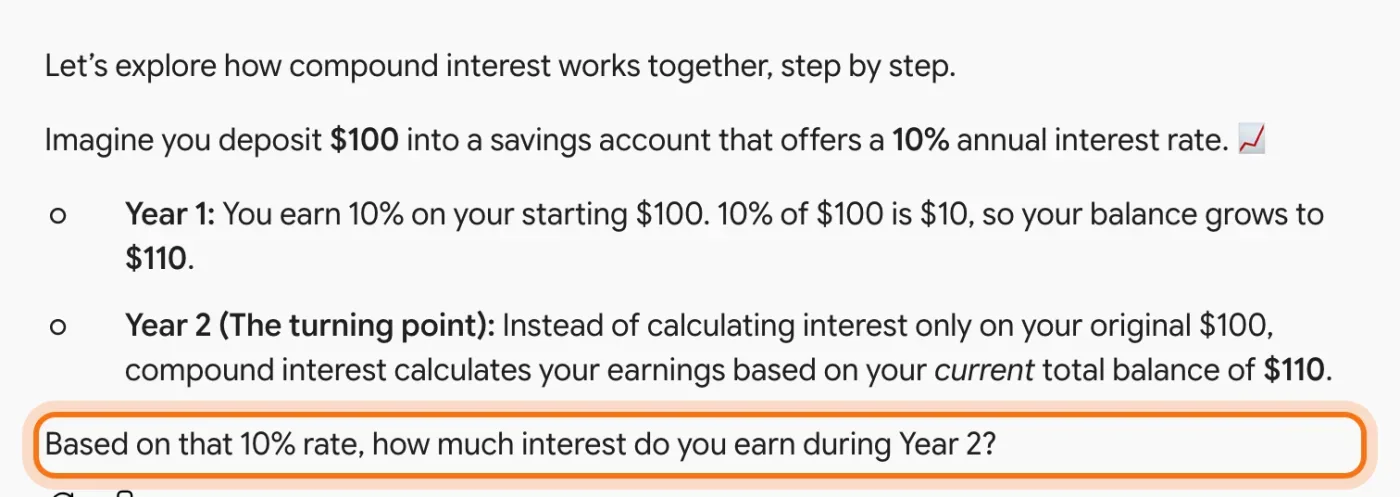
Instead of a long explanation, you get a small piece with a simple example, and a question at the end. Answer it in your own words. Guessing wrong is fine. It's how the tutor finds out what to explain next.
Step 4: Stuck? Say so, and ask for a hint
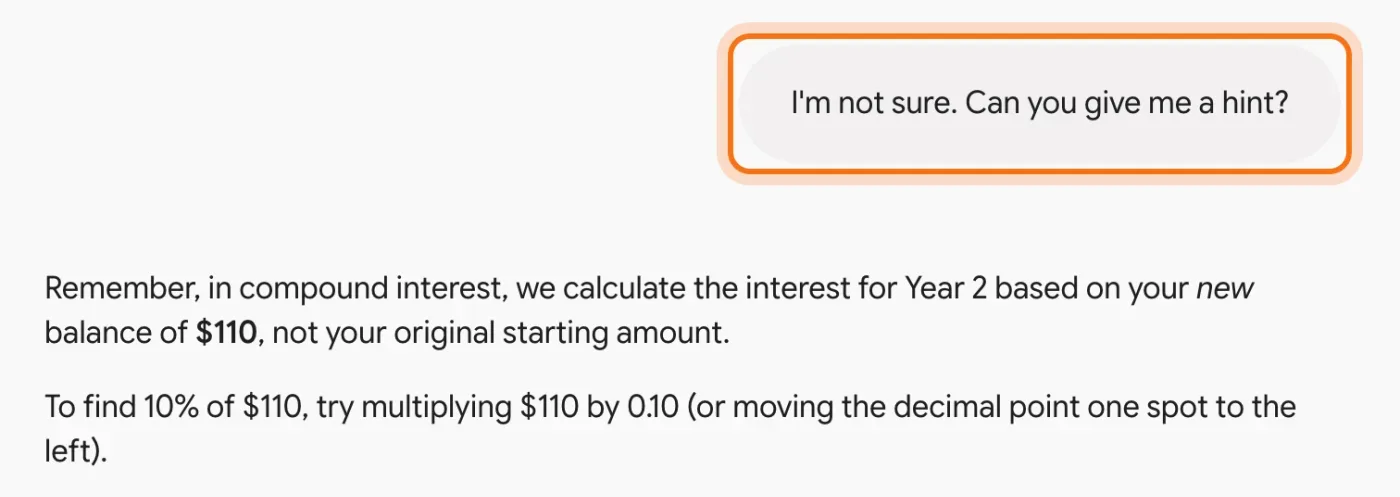
"I'm not sure, can you give me a hint?" is a perfectly good answer. The tutor gives you a smaller step instead of the answer, so you still work it out yourself, which is what makes it stick.
Step 5: Finish with a quick quiz
When the lesson feels clear, test it. Type "Create a quiz about" and the topic. Gemini makes an interactive quiz beside the chat: pick an answer, click "Hint" if you need one, and "Next" to go on. It keeps score as you go.
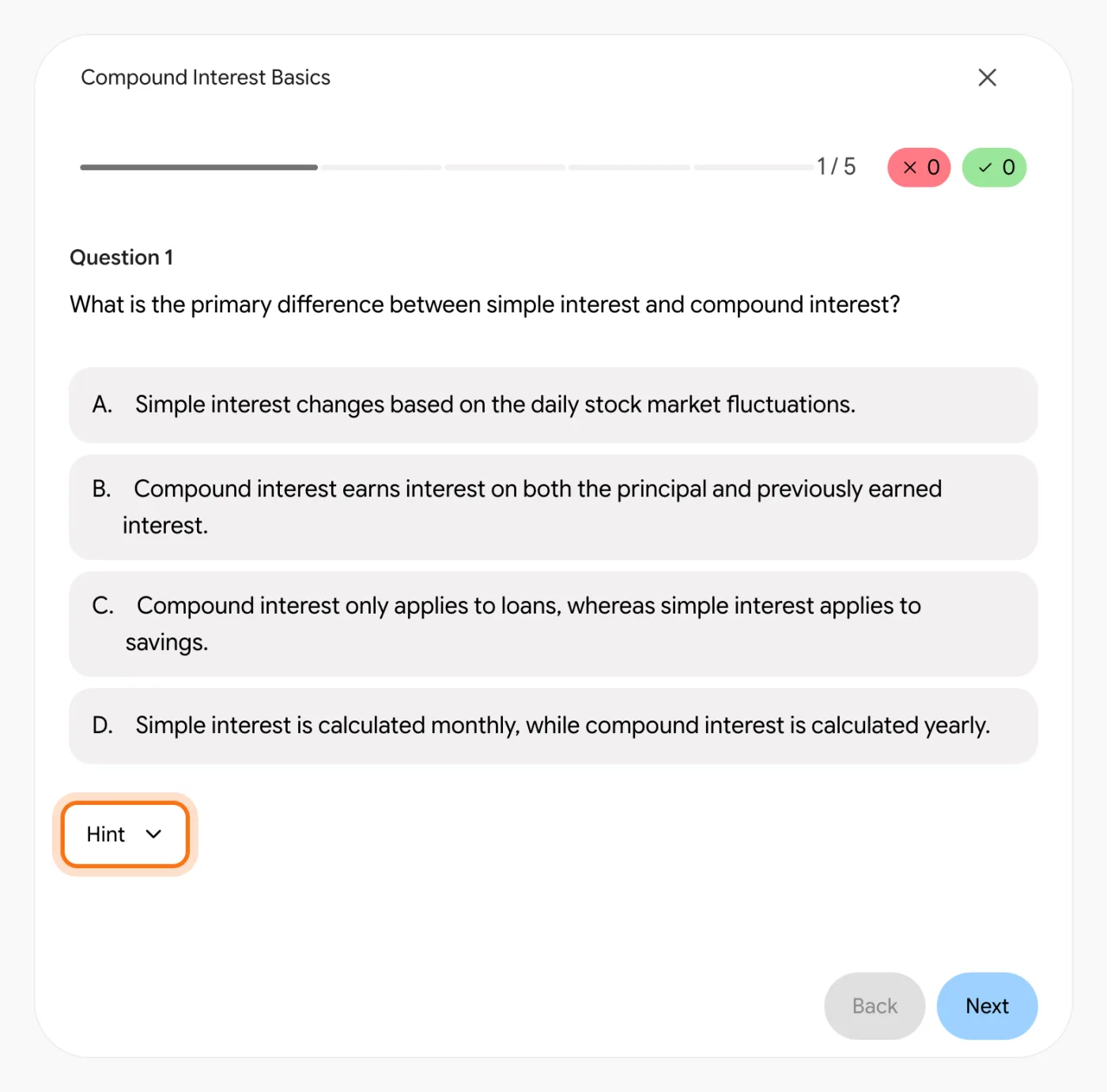
Try this prompt
Create a quiz about [topic] for a beginner: 5 multiple-choice questions.
Members
The rest of this guide is for members
Create a free account and every room in the academy opens for 30 days. No credit card needed.
In the rest of this guide
8 real things to learn, with prompts to copy
- Finally understand your numbers
- Learn a new app or software
- Learn the phrases your customers use
- Prepare for a license or certification test
- Learn from an article or a report
- Check your work, not just get the answer
- Explain it back to make sure you understand
- Get a learning plan that fits your week
Tools and habits worth knowing
- Flashcards in one message
- Still stuck? Ask for a different explanation
- Tell it your level, every time
- Come back tomorrow for a short quiz
When the lesson isn't working, and how to fix it
- It dumps a long explanation on you
- It's too hard, or too easy
- It just gives you the answer
- It teaches you something that's wrong
- You understood it yesterday, and forgot it today
- In a long lesson, it loses track of what you covered
- It's dry, and you lose interest
- You don't see an interactive quiz or flashcards
Where to go next
Learning with AI gets better with clear requests and a habit of checking facts. These guides go deeper.