What Gamma is, in one minute
Gamma makes presentations, documents and social media posts from a short description. You say what you need, its agent writes an outline for you to check, and then Gamma builds the slides, with a design and pictures.
Like every AI tool, it writes the most likely content. It's fast at structure and design, and you still bring the facts: when Gamma doesn't know a detail, like your prices or your address, it leaves it in [brackets] for you to fill in.
You can start free at gamma.app. A new free account gets 400 AI credits, once: on the free plan they don't refresh. We made a free account with "Continue with Google" for the pictures in this guide, on a computer.
When to pick Gamma, and when another tool fits better
Gamma, Canva and the AI chats can all help with a presentation. The difference is how much of the work you want done for you.
Pick Gamma when
- You need a good-looking deck fast, and the content matters more than a custom design.
- You want to see and fix the outline before anything is built.
- You want the same ideas as a presentation, a document or a social media carousel.
Look at another tool when
Canva: You want to design every detail yourself, starting from a template.
Read the guideChatGPT: You only need the words: an outline, speaker notes or a script for slides you already have.
Read the guide
Your first presentation, in five steps
Here's the whole loop, from an empty box to a deck you can show. The example: a small coffee shop introducing its new loyalty card.
Step 1: Open gamma.app and sign up
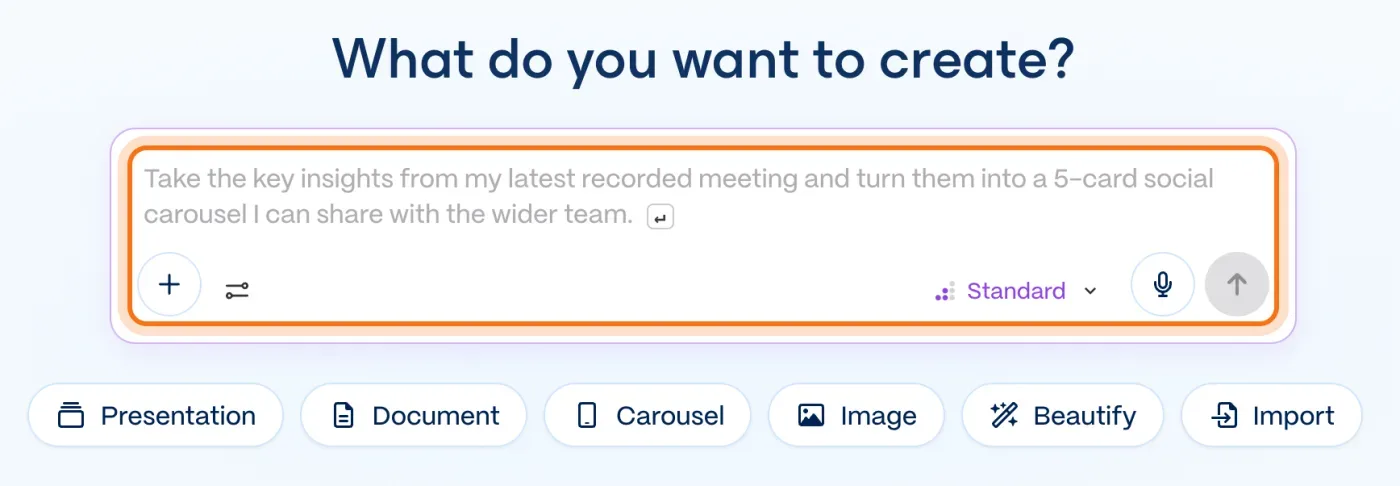
Go to gamma.app and click "Sign up". Choose "Continue with Google" or an email; the page says "No credit card required." After a few questions about how you'll use it, you land on "What do you want to create?" with a box and a row of buttons under it.
Step 2: Pick "Presentation" and describe the deck
Click "Presentation" under the box, then write what the deck is for: who will see it, what it should cover, and how many slides. Click the arrow to send it.
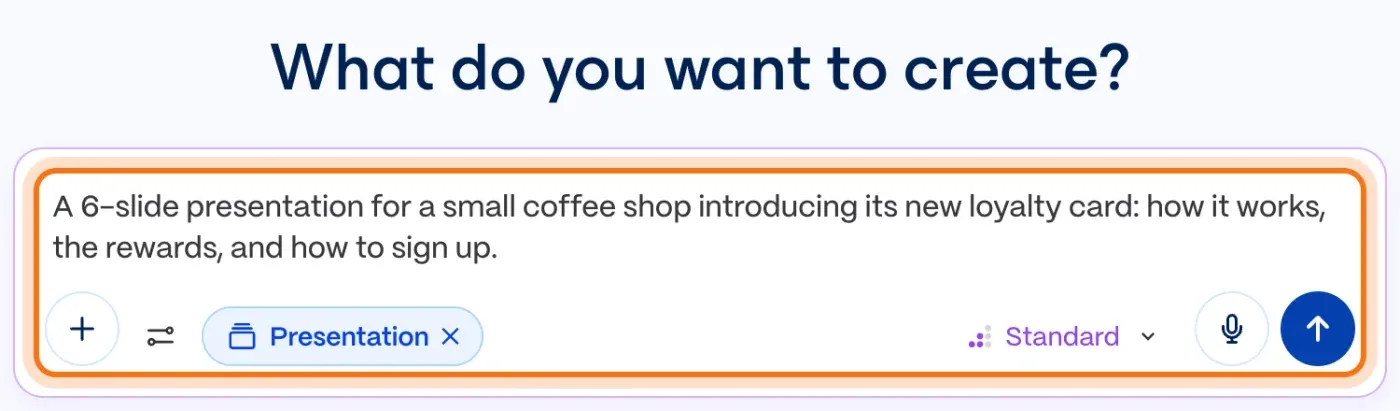
The example in the picture: a 6-slide presentation for a coffee shop's new loyalty card, covering how it works, the rewards and how to sign up.
Try this prompt
A [number]-slide presentation for [who will see it] about [topic]: [the 3 or 4 points to cover].Step 3: Check the plan before anything is built
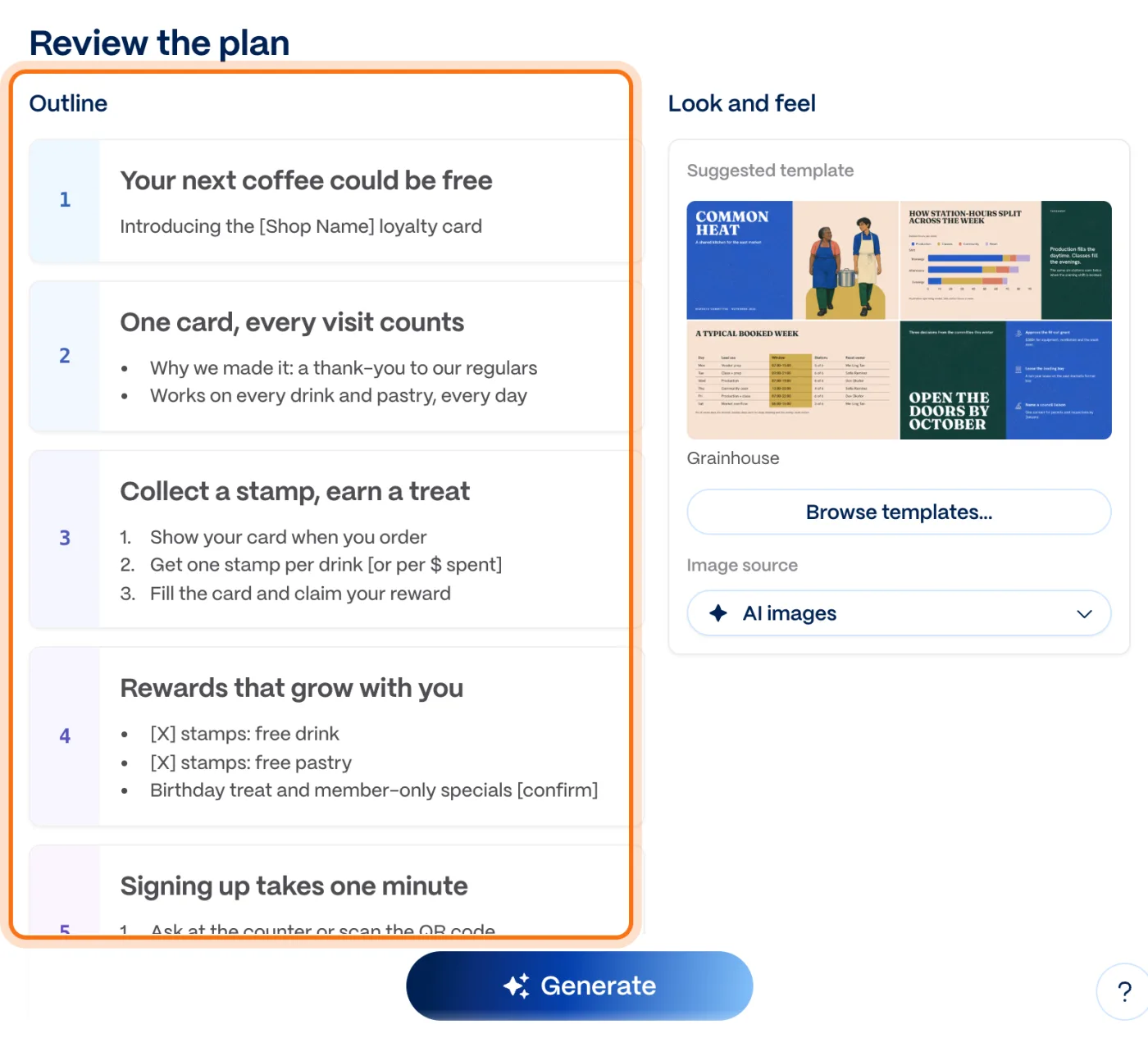
Gamma's agent writes an outline first, under "Review the plan": one card per slide, with its title and main points. Read it like a first draft. Change any line, add or merge slides, and look for [brackets]: those are details Gamma didn't know and didn't make up.
Step 4: Click "Generate"
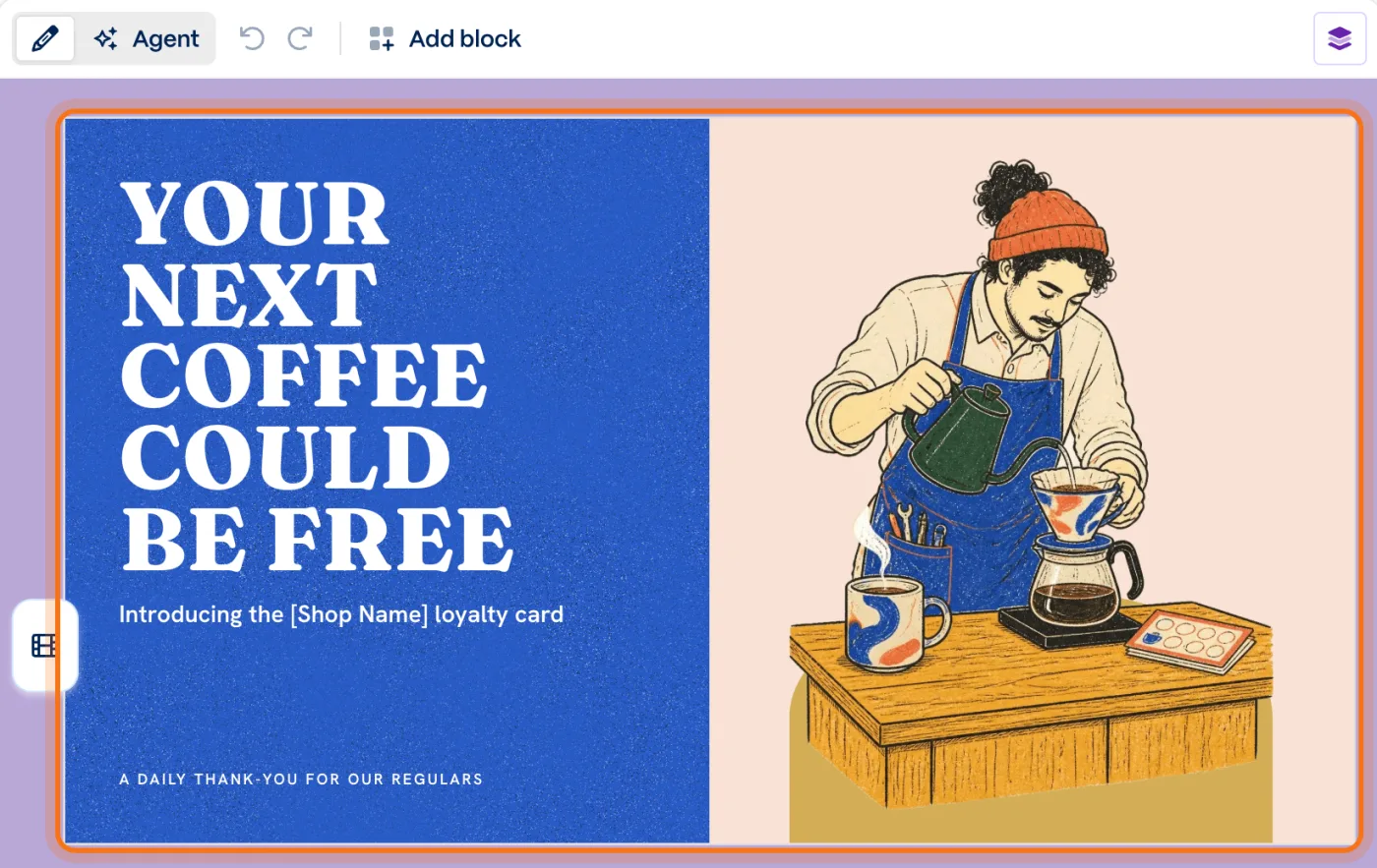
When the outline looks right, click "Generate". Gamma builds the deck with a design and pictures made by AI; ours was ready in less than a minute. In the chat on the left, the agent says what it left for you to fill in.
Step 5: Ask the agent for changes
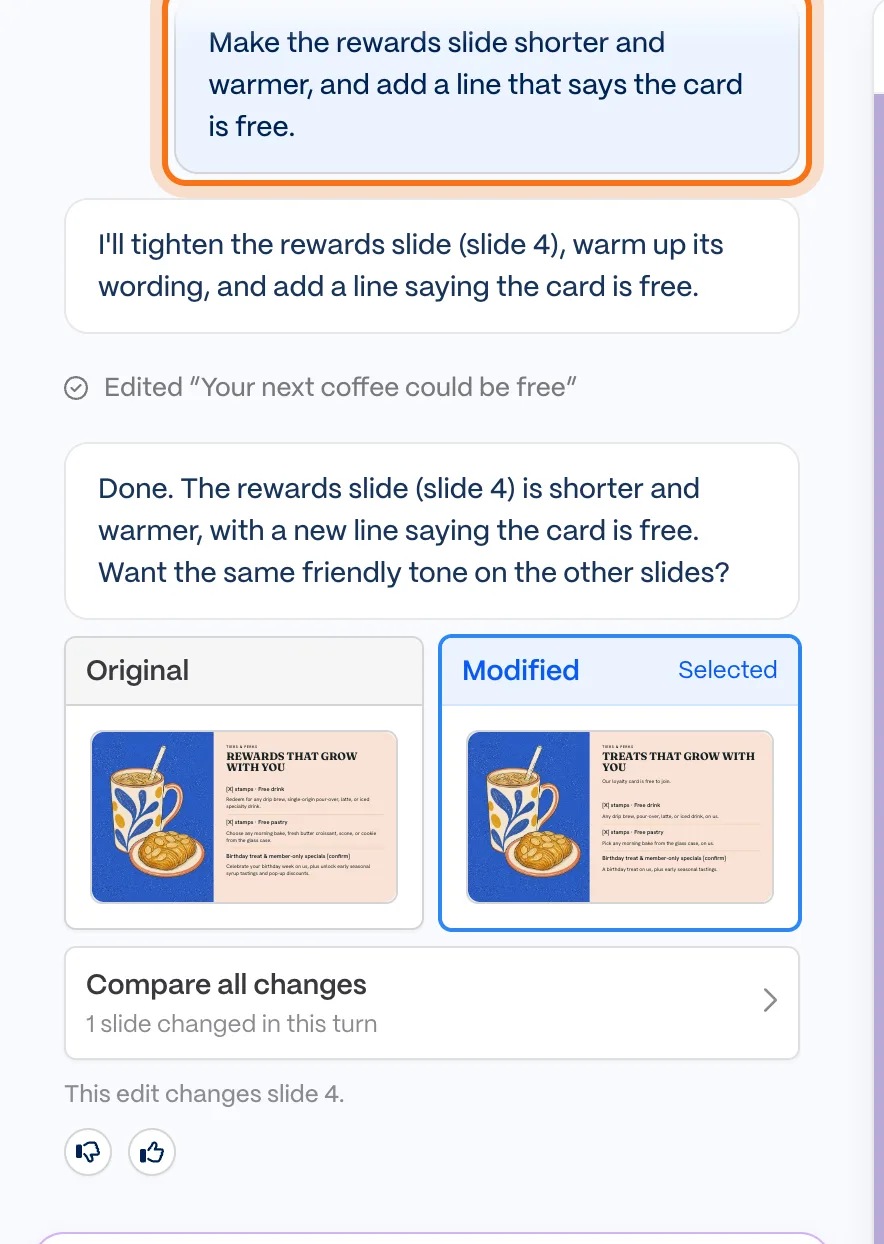
Not quite right? Don't start over. Type in "Message the agent..." on the left what to change, and which slide. The agent shows the slide before and after ("Original" and "Modified") and tells you which slides it changed.
Try this prompt
Make the [which slide] shorter and [warmer / simpler / more formal], and add a line that says [the detail].
Members
The rest of this guide is for members
Create a free account and every room in the academy opens for 30 days. No credit card needed.
In the rest of this guide
8 real jobs Gamma does well, with prompts to copy
- Pitch your service to a new client
- Make slides for a short training
- Turn meeting notes into a team update
- Write a one-page document for customers
- Make a social media carousel
- Turn a file you already have into slides
- Prepare a talk for a local event
- Write a project proposal
Buttons and settings worth knowing
- More than slides
- Look and feel, before you generate
- Change the whole look later
- Download it as PDF or PowerPoint
- Present from the browser
- Credits
When Gamma gets it wrong, and how to fix it
- The deck has [brackets] in it
- A fact or a number on a slide is wrong
- A slide has too much text
- A picture doesn't fit
- The agent changed something you liked
- You're running out of credits
- Nobody can open your link
- You're not sure what's safe to paste
Where to go next
Two habits make every AI tool better: clear requests, and checking what matters.