What Perplexity is, in one minute
Perplexity is an AI answer engine. You ask a question in plain words, it searches the web as you ask, reads the pages, and writes one short answer, with a small tag after each claim that shows where it came from.
That makes it good for questions where the source matters: a rule, a date, a product, something that changed recently. Instead of ten links to read, you get the answer first and the pages behind it one click away.
You can use it free at perplexity.ai. After a question or two it may ask you to sign up, and a free account works. This guide uses the website on a computer.
When to pick Perplexity, and when another tool fits better
Perplexity, ChatGPT, Gemini and Claude can all search the web. Perplexity is built around it: the sources come first, on every answer.
Pick Perplexity when
- You want a fact with its source, not an essay. Every answer shows the pages it used, and you can open them in one click.
- You're comparing what different sites say: products, rules in different states, reviews. The "Sources" panel lists each page with its site and title.
- You want to research something without saving it to your history. "Incognito" sessions aren't saved and expire after 24 hours.
Look at another tool when
ChatGPT: You want writing more than research: an email, a plan, ideas. ChatGPT can search the web too, when you turn on "Web search" in its + menu.
Read the guideGemini Notebook (formerly NotebookLM): The answers should come only from your own documents, not the web. Google says it answers from the sources you add and shows the quoted text.
Read the guide
Your first answer with sources, in five steps
Here's the whole loop, from the empty box to an answer you've checked. The example: a small bakery owner asking about food labeling rules.
Step 1: Open perplexity.ai
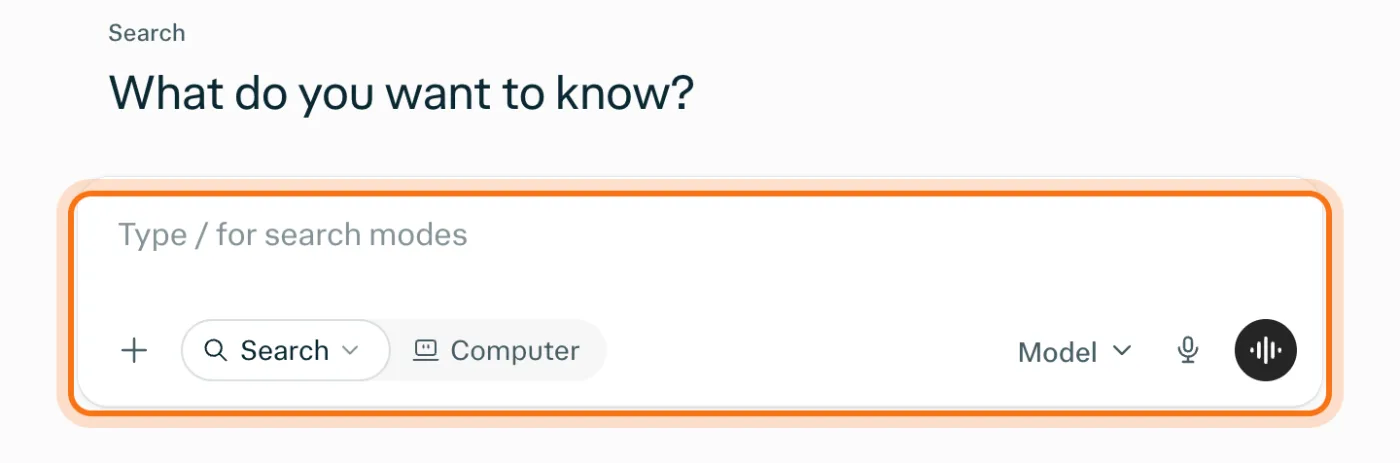
Go to perplexity.ai. You'll see "What do you want to know?" and a box under it. You can ask your first question without an account. To keep your questions and ask more, sign up free with Google, Apple or your email.
Step 2: Ask a full question, with where you are
Write a whole question, the way you'd ask a well-read friend, not a few search words. Add what makes it yours: your type of business, your state, how long you want the answer. Then press Enter.
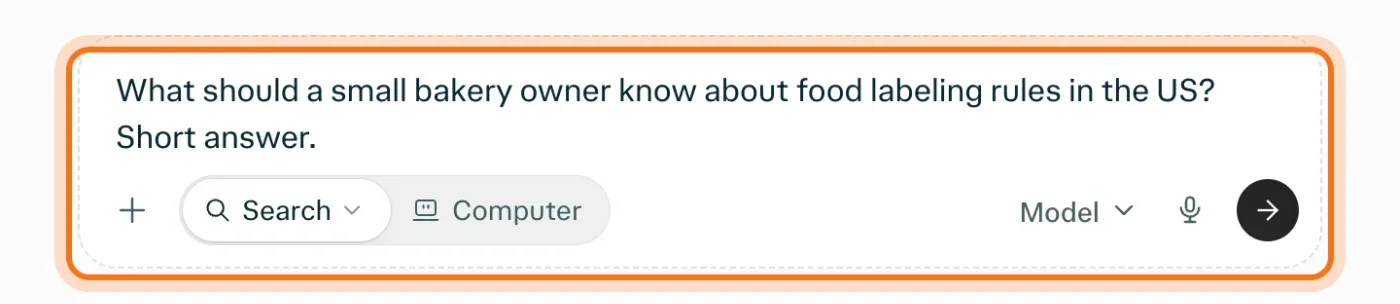
The example in the picture: a small bakery owner asking about food labeling rules in the US.
Try this prompt
What should a [your business] in [your state or city] know about [the topic]? Short answer.Step 3: Read the answer, and notice the tags
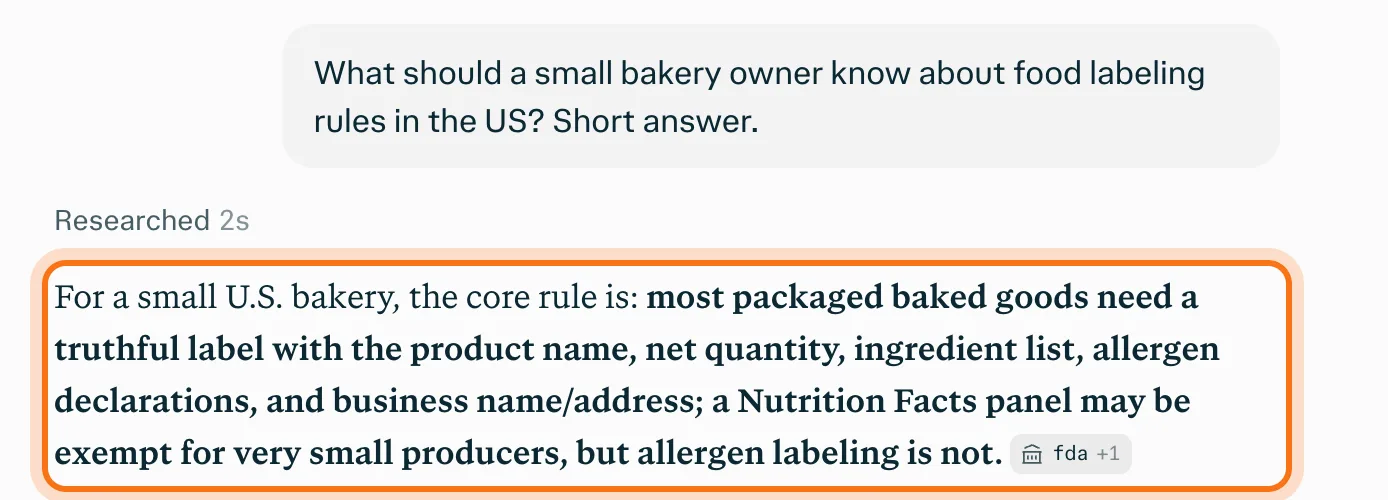
In a few seconds you get a short answer. After a sentence, a small grey tag names the site it came from, like "fda", and "+1" means one more source backs it. Those tags are what make Perplexity different: every claim points somewhere.
Step 4: Open the sources
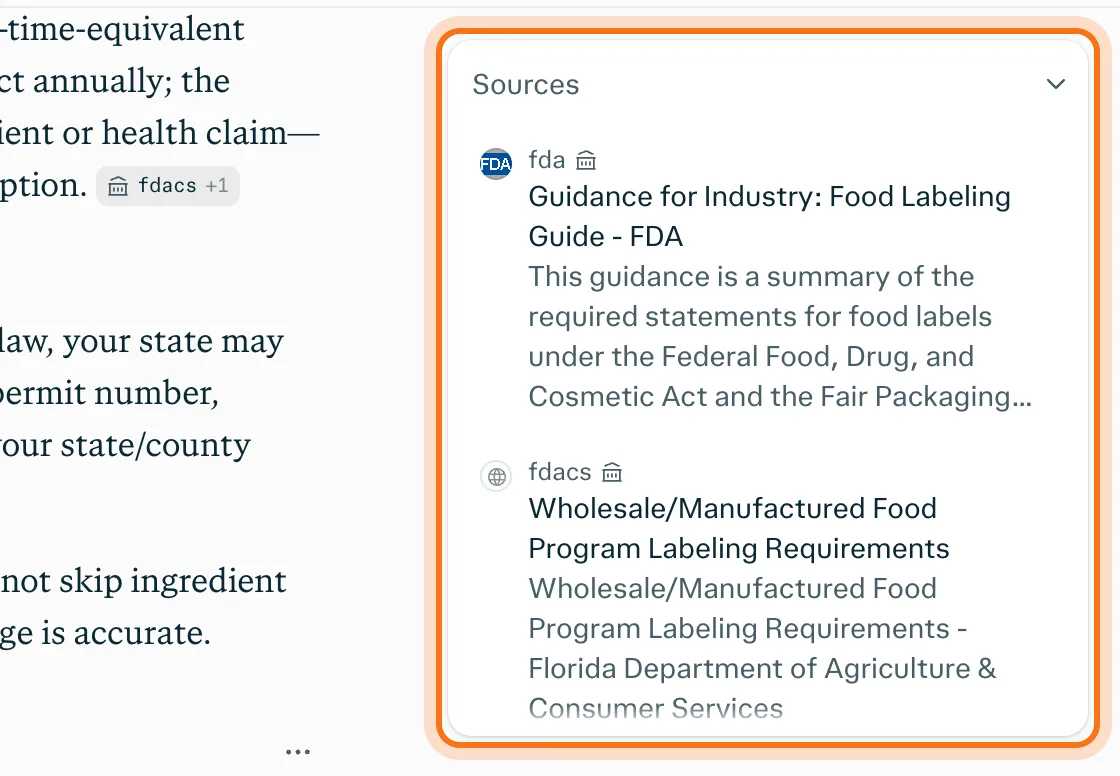
Click the sources count under the answer, like "10 sources". The "Sources" panel lists every page the answer used, each with its site and title. A small icon next to a site's name means Perplexity gave the site a label, like "Government". Open the one that matters and find the sentence yourself.
Step 5: Ask a follow-up
Under the answer, type in "Ask a follow-up". Perplexity keeps the conversation, so you don't repeat yourself: "Which of these apply if I only sell at a farmers market in Texas?"

Members
The rest of this guide is for members
Create a free account and every room in the academy opens for 30 days. No credit card needed.
In the rest of this guide
8 real questions Perplexity answers well, with prompts to copy
- Check a rule for your business
- Compare products before you buy
- Catch up on news in your field
- Find suppliers or services near you
- See what similar businesses offer
- Understand a term you keep seeing
- Plan around a local event or a date
- Find where a number really comes from
Buttons and settings worth knowing
- Point at a tag to see its source
- The + menu: your files, connectors and projects
- Incognito, for questions you don't want saved
- Know the free plan's limits
When Perplexity gets it wrong, and how to fix it
- The source doesn't say what the answer says
- The sources are blogs or sales pages, not official ones
- The answer is for the wrong state or country
- It found an old page
- The answer is longer than you need
- It asks you to sign in before it will answer
- You can't upload a file
- You're not sure what's safe to ask
Where to go next
Sources make checking faster. These guides show the rest of the habit.